

By combining dedicated touch interfaces on both sides of the counter, Oh Ship! has created a streamlined retail environment that supports efficient staff workflows while giving customers a clear, interactive experience during checkout.
A Technology-Driven Approach to Retail Service
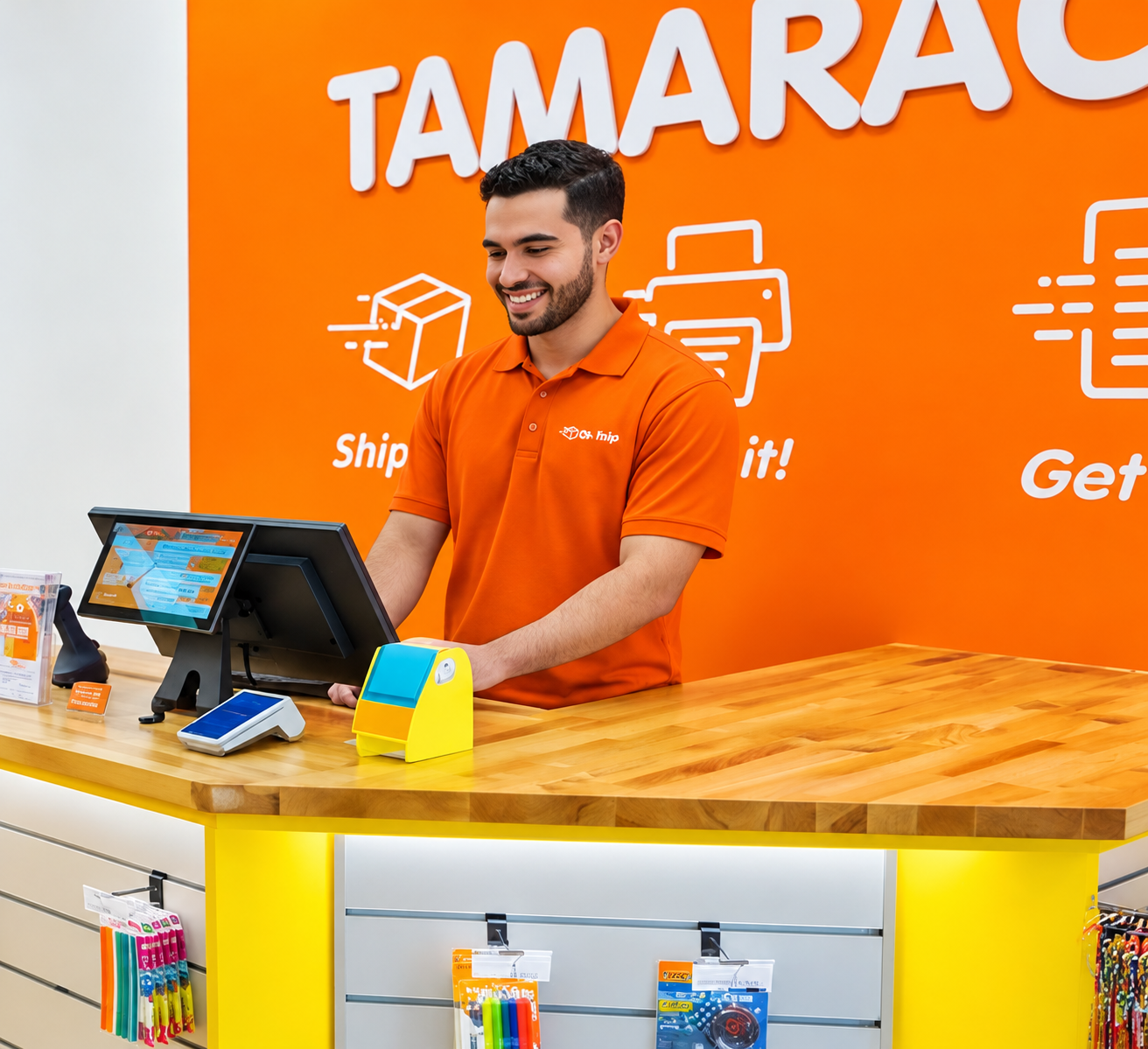
Oh Ship! provides shipping, printing, mailbox, notary, and related business services from its location in Tamarac, Florida. The company has built its customer experience around fast, professional service, with touchscreen technology integrated directly into the front-counter workflow.
Associates handle package processing, transactions, and other customer requests throughout the day, making the POS workstation a central operating interface. On the opposite side of the counter, dedicated customer-facing displays provide a separate point of interaction during checkout rather than requiring staff and customers to share the same screen.
This dual-interface setup gives each user a dedicated touchscreen while keeping the transaction flow organized and intuitive.
Meeting the Demands of a High-Use POS Environment
Touchscreen monitors installed at a busy retail counter must withstand frequent interaction throughout the business day. The associate workstation is used continuously as staff process transactions and customer requests, while customer-facing displays are repeatedly used as part of the checkout experience.
Oh Ship! initially purchased screens from other vendors, but found that the hardware did not hold up to daily commercial use. Those displays ultimately had to be removed and replaced.
Because the screens are integrated directly into the transaction workflow, reliability was more than a hardware preference. Oh Ship! needed professional touchscreen monitors for retail that could support high-frequency use while fitting naturally into both the associate workstation and customer-facing POS positions.
.png)
Matching Beetronics Touchscreens to Each POS Workflow
Oh Ship! replaced its previous screens with Beetronics touchscreens and configured the counter around two display sizes, matching each model to a specific role within the POS workflow.
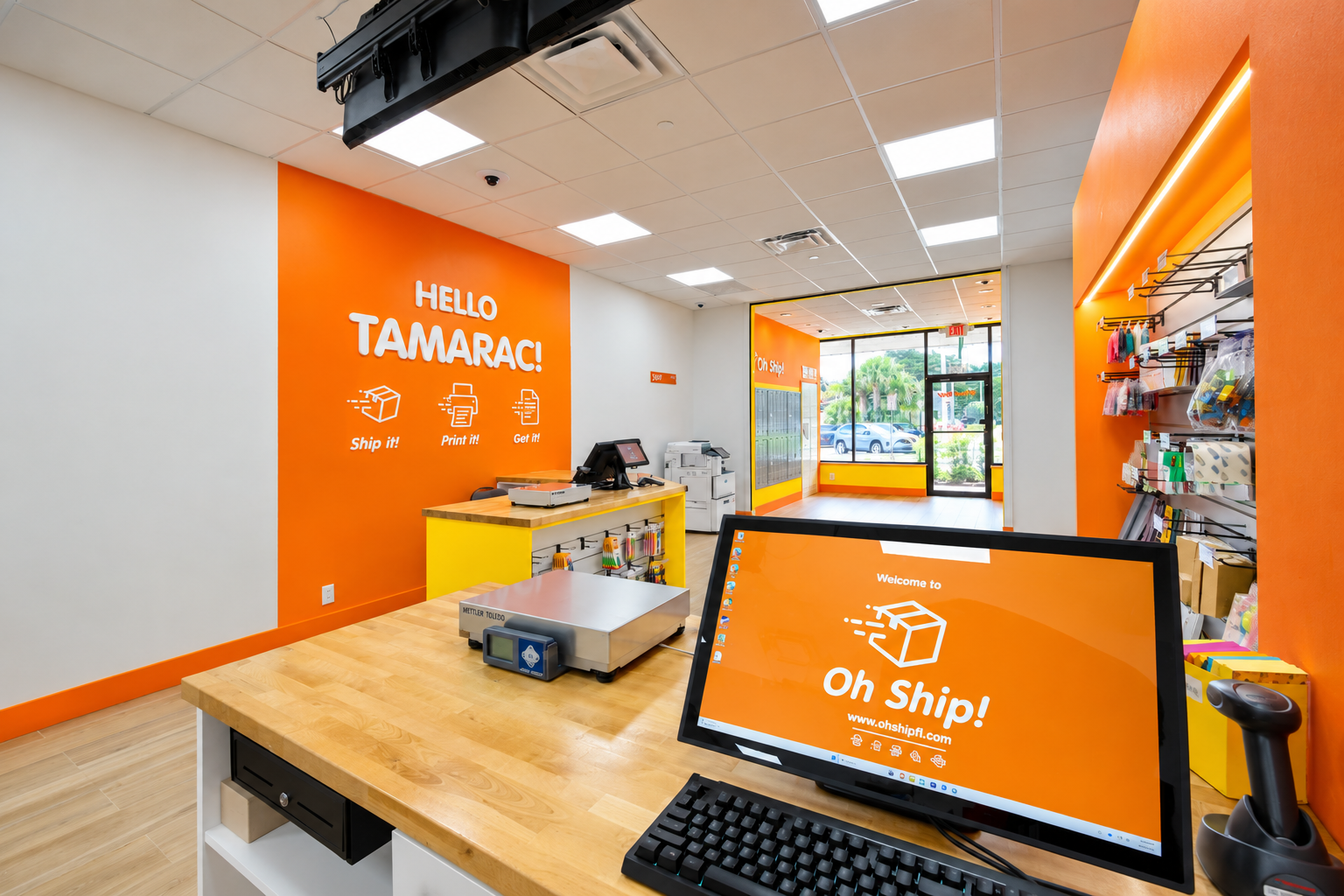
Behind the counter, the Beetronics 22TS7M 22-inch touchscreen functions as the primary associate POS workstation. Its larger display area provides staff with a spacious operator interface for the shipping and transaction software used throughout the day, allowing associates to work directly through the touchscreen while serving customers.
On the customer side, the Beetronics 12TS7 12-inch touchscreen functions as the interactive customer-facing display. This compact POS touchscreen provides customers with a dedicated interface during checkout while the associate continues working from the main workstation. Its smaller footprint also helps preserve valuable counter space for packages, payment equipment, and other hardware.
The Beetronics touchscreens are designed for continuous 24/7 operation, making them well suited to commercial environments where displays are expected to remain in regular use throughout the day. Impact-resistant tempered glass front panels and industrial-grade construction provide added durability for high-touch applications, while PCAP multi-touch technology delivers a responsive interface for both staff and customer interaction.
Using 22-inch and 12-inch models allows Oh Ship! to match screen size to each point of interaction while maintaining a consistent Beetronics touchscreen platform across the counter. After switching, the company found the displays noticeably better built and more reliable than its previous hardware, ultimately leading it to standardize on Beetronics.
We first bought screens from other vendors, but the quality didn't hold up to daily commercial use, and we had to pull them out and replace them. Since switching to Beetronics, the displays have been noticeably better built and more reliable. That matters enormously when a screen runs all day and customers rely on it. That reliability is why we standardized on Beetronics displays at the counter.
Creating a Dual-Screen POS Experience for Staff and Customers
The completed installation gives Oh Ship! dedicated touchscreen interfaces for both associates and customers. Staff operate from the larger 22TS7M POS workstation, while customers interact directly with the 12-inch customer-facing display during checkout.
Keeping the operator interface separate from the customer display allows each screen to serve a clearly defined role. Associates can remain focused on package processing and transaction management from the main workstation, while customers have their own touchscreen for the portions of the checkout process intended for them.
The different screen sizes also help optimize the physical counter. The larger associate display provides ample working area for regular POS use, while the compact customer-facing touchscreen integrates cleanly into the checkout environment without occupying unnecessary workspace.
For Oh Ship!, the move to Beetronics has established a consistent touchscreen platform across one of the most frequently used areas of the business. The installation demonstrates how commercial touchscreen monitors can support both operator POS workstations and interactive customer-facing displays within the same retail environment, while providing the durability required for continuous daily use.
FAQ
What type of touchscreen monitor is best for a retail POS workstation?
A retail POS workstation typically benefits from a commercial touchscreen monitor with projected capacitive touch, durable front glass, flexible mounting options, and support for continuous daily operation. Larger displays can provide more screen area for transaction software, while compact displays are better suited to customer-facing positions. Beetronics touchscreen monitors combine PCAP touch, metal construction, tempered-glass front panels, and 24/7 operation for professional POS environments.
Can a customer-facing POS display use a touchscreen monitor?
Yes. A customer-facing POS display can use a touchscreen monitor when the POS software and host computer support a secondary interactive display. Video is provided by the POS computer, while USB carries touch input back to the system. Beetronics touchscreen monitors can be used in this configuration as dedicated customer-facing displays connected to an external POS terminal or PC.
What screen size should be used for employee-facing and customer-facing POS displays?
Employee-facing POS workstations often use larger displays, such as 19-inch to 24-inch screens, to provide more space for transaction software and operational controls. Customer-facing displays can use smaller 10-inch to 15-inch screens where counter space is limited. Oh Ship! uses a 22-inch Beetronics touchscreen for its associate workstation and a 12-inch touchscreen for the customer-facing interface.
Are Beetronics touchscreens designed for continuous retail use?
Yes. Beetronics professional touchscreen monitors are designed for continuous 24/7 operation and use metal housings, tempered-glass front surfaces, and projected capacitive touch technology. These features make them suitable for POS counters, kiosks, customer-facing terminals, and other high-use commercial installations.
Do Beetronics POS touchscreens include a built-in computer?
No. Beetronics touchscreen monitors are display-only devices rather than all-in-one POS computers. They connect to an external PC, POS terminal, or other compatible host device for video, while USB is used for touchscreen communication.


